Find the right prospects. Be ready for the conversation.
A practical prospect-to-client workspace for local marketing and social-media service teams, on phone, tablet or computer.
See it working ↗Practical tools for the way you work.
Discover businesses by suburb and category, assess gaps in their online presence, prepare a personalised walk-in brief, log conversations and follow-ups, and track proposals through to client results.
- Google-powered prospect discovery by suburb and category, plus CSV imports
- Online presence scoring across Google, websites, social activity and appearance in AI answers
- Focus-and-needs questions, mobile walk-in briefs and tailored conversation starters
- Log visits and calls; see follow-ups and outstanding quotes on the daily Today card
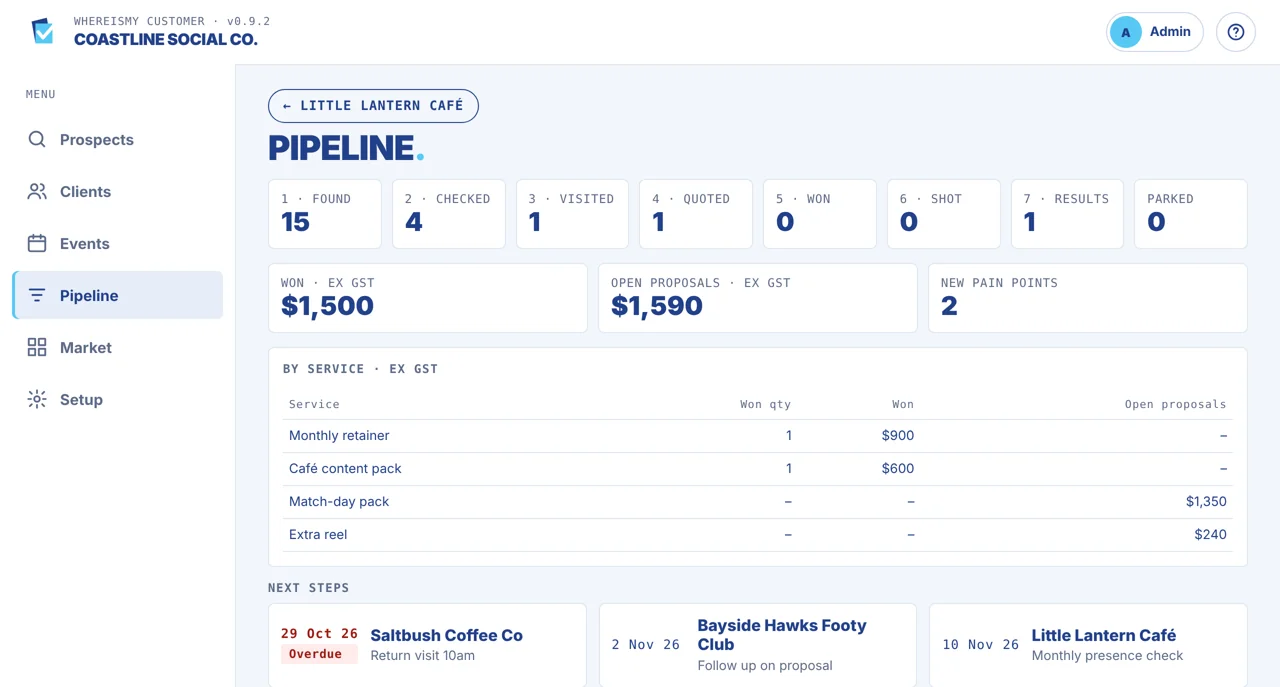
- Quote services and track the seven-stage journey: Found, Checked, Visited, Quoted, Won, Shot, Results
- Explore pipeline values, local market opportunities, nearby events and client results over time
See the process, not just the features.
Find
Find businesses by suburb and category.
Check
Score their online presence and identify gaps.
Approach
Prepare questions, visit, and record follow-ups.
Convert
Quote, win and demonstrate measurable client results.
Frequently asked questions
No matching questions. Ask us directly.
Who is WhereIsMy Customer for?
Most businesses that win local clients. It was built first for marketing and social-media service providers, and works on a phone, tablet or computer.
How is it different from other apps?
It brings finding prospects, scoring how strongly they show up online (including in AI answers) and tracking the deal together in one app. Every check is kept, so you can show clients their improvement.
How are prospects found?
Search Google by suburb and category to add a whole area at once, add a single business, or import a list from a spreadsheet.
What is the presence score?
A score from 0 to 100 for how strongly a business shows up online, covering Google reviews, its website, social media activity and whether AI answers mention it. A lower score means a better prospect.
Can we show clients the results of our work?
Yes. Every presence check is kept, so you can show a client their first check against their latest one at renewal time.
How do team members sign in?
Each person signs in with their own PIN. Admins add team members, choose Admin or User for each person, and reset PINs.
Can I suggest a feature or get a demo?
Yes. CHECDIT is built to adapt to your business, so tell us what you need and we will look at whether it can be added. To suggest a feature or book a demo, use the contact page or email info@checditinnovations.com.
See how it could work for your business.
Tell us about the workflow you're trying to improve. We'll show you a relevant working application.
Request a demonstration